

A new starter is due to join on Monday. Their offer is approved, but the right-to-work evidence sits in an email thread, payroll still needs the bank details, IT is waiting for a separate access request, and the manager has an outdated spreadsheet for the induction plan. Six months later, the same employee changes role, takes leave, completes training and receives a new manager, yet each update is still handled in a different system.
That's the operational problem the hire to retire process is designed to solve. It connects recruitment, onboarding, employment administration, development, payroll-related data, compliance and offboarding into one controlled employee lifecycle. For UK and EU organisations, the value isn't fewer spreadsheets. It's a consistent record of what happened, who approved it, which actions followed, and what must happen next.
UK turnover data reinforces why this matters. The CIPD resourcing and talent planning analysis reports an average UK worker turnover rate of 34%, comprising 27.4% moving to a new employer and 6.6% not working one year later. Around two-thirds remain with the same organisation from one year to the next, while the share with less than 12 months' tenure returned to about 16%, roughly its pre-pandemic level. Recruitment, onboarding and early retention therefore belong in one connected operating model.
Table of Contents
- Introduction Why the Hire to Retire Process Matters Now
- What the Hire to Retire Process Really Means
- The End to End Hire to Retire Lifecycle in Detail
- Why Centralising the Process Inside Microsoft 365 Changes Everything
- Compliance Checkpoints That Must Be Built Into the Workflow
- How HRManagement365 Centralises the Hire to Retire Process
- Next Steps to Optimise Your Hire to Retire Process
Introduction Why the Hire to Retire Process Matters Now
For an HR director, the symptoms are familiar. A recruiter owns candidate information, HR operations re-keys it into an employee file, finance receives a separate notification, managers approve leave in email, and IT hears about a leaver through a ticket that arrives after the person has already left. Every handoff creates another opportunity for delay, conflicting records or an incomplete audit trail.
The hire to retire process treats the employee journey as continuous. It begins with an approved vacancy and candidate record, carries accurate information into onboarding, supports the employee through absence, time, performance and development events, and ends with a controlled exit. The process also supports internal moves, temporary status changes and changes in reporting lines, not just the first hire and final departure.
Practical rule: Treat every significant employee change as an event that should update the right people, records and approvals automatically.
This approach is particularly relevant to Microsoft-centric organisations using Microsoft 365, Dynamics 365 or Business Central. Instead of asking HR, finance and IT teams to maintain separate versions of the truth, an organisation can use structured data, role-based access, automated workflows and reporting within a governed Microsoft environment.
The UK and EU context adds complexity. UK right-to-work checks have specific evidence and follow-up requirements, while EU organisations must also distinguish European Union-wide data protection principles from employment, payroll, tax and working-time rules set by individual member states. A sound platform must support common group controls without pretending that one configuration satisfies every local obligation.
This guide uses HRManagement365 as the primary example. HRManagement365 is a UK and EU HR solution powered by Hubdrive and Microsoft technology, with a platform built in Power Platform, Dynamics 365 and Dataverse. It extends standard Microsoft and Hubdrive capabilities through implementation expertise, integrations, customised workflows and HR applications designed around real employee lifecycle requirements.
What the Hire to Retire Process Really Means
Think of the process as a secure travel record rather than a collection of tickets. The candidate starts with a destination, role and planned start date. At each point, the record gains approved information, documents, decisions and actions. When the person changes destination, such as moving department or leaving the organisation, the same record tells connected teams what needs to change.
The useful distinction is between tasks and lifecycle events. A task might be “send an onboarding email”. An event is “the candidate became an employee on an agreed date”, which can trigger document collection, manager notifications, payroll preparation, equipment requests and access workflows.
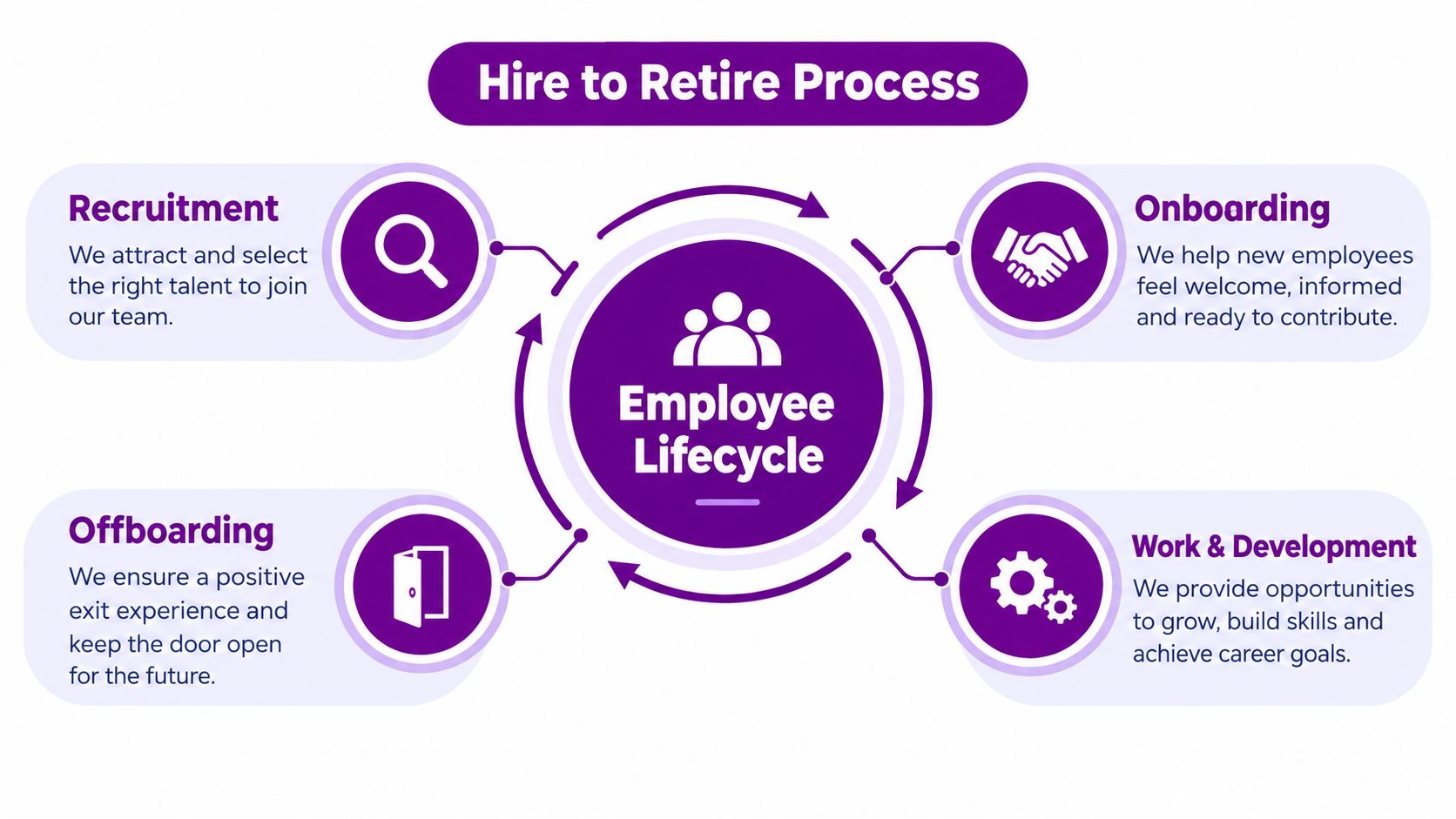
A connected hire to retire model normally includes:
- Recruitment: vacancies, applications, interviews, offers and approvals.
- Onboarding: candidate-to-employee conversion, contracts, documents, policies and induction.
- Employment administration: employee records, organisational structure, roles, managers and employment changes.
- Leave and time: absence requests, approvals, attendance, overtime and payroll-ready information.
- Performance and development: objectives, reviews, learning, skills and certifications.
- Compensation and benefits: structured information that can be shared with relevant payroll or finance processes.
- Offboarding: notice, handover, final actions, document retention and access closure.
The data thread matters more than the task list
Suppose a candidate's department is entered as “Operations” during recruitment, then re-entered as “Operations and Logistics” during onboarding. A manager may approve leave against one structure while finance reports against another. The individual hasn't changed, but the organisation has lost confidence in the data.
Dataverse provides the structured data layer for Power Platform apps. Microsoft describes the Data Integrator for Dataverse as supporting data integration and mapping between business entities and business units. In practical terms, that supports a common model for employee, organisation, role and lifecycle information.
Governance is part of the definition, not an optional technical layer. A complete process controls who can see sensitive information, records approvals, separates local rules where necessary and gives HR, finance, managers and employees the views they need without exposing everything to everyone.
The End to End Hire to Retire Lifecycle in Detail
A practical lifecycle starts before the employee's first day and continues through every material employment event. Each stage has a business owner, a handoff and a control point.

Recruitment and candidate conversion
Recruitment teams create vacancies, manage applicants, schedule interviews and record decisions. The critical handoff is the approved offer. A good process converts the candidate into an employee record without re-keying core details, while preserving the recruitment history and separating information that should no longer be retained.
Onboarding and employee records
HR operations confirm contracts, personal information, organisational placement, documents and required induction activities. Managers need a clear view of what they must complete, while the new starter needs accessible tasks through familiar Microsoft interfaces. Right-to-work evidence should be handled as a controlled checkpoint, not buried in a shared inbox.
Leave, absence, time and attendance
Employees submit requests, managers approve them and HR maintains policy and entitlement rules. Time and attendance information may also need to flow to payroll, finance or workforce planning. When records are disconnected, a manager may approve leave without the relevant balance or payroll context.
Payroll and benefits
HR normally owns employment data, while finance or payroll teams own payment processing and statutory outputs. The handoff should be structured, permission-controlled and traceable. Dynamics 365 Business Central or Finance and Operations integration can help connect workforce information with wider business processes, but local payroll and tax rules still require country-specific design.
Performance, talent and learning
Performance objectives, reviews, skills, certifications and development plans belong to the active employment stage. These records help managers support progression and help HR understand capability. The process should also handle promotions, transfers and reporting-line changes because each can affect access, approvals, reporting and employee data.
Offboarding and exit
The leaver event should initiate a defined sequence, including manager notification, handover, equipment return, final records, access actions and retention decisions. Ownership must be clear. A checklist alone isn't enough if its completion isn't recorded and exceptions aren't escalated.
Why Centralising the Process Inside Microsoft 365 Changes Everything
Fragmented tools can appear flexible because each team chooses what suits its immediate task. Recruitment may use one application, HR another, finance a separate system and managers email requests. The problem appears at the boundaries, where people copy information, chase approvals and reconcile reports.
A centralised Microsoft approach changes the operating model by giving those events a governed data foundation. Power Platform can provide applications and automation, Dataverse can hold structured lifecycle data, Dynamics 365 can connect HR and business operations, and Power BI can turn the resulting information into management reporting.
| Fragmented approach | Centralised Microsoft approach |
|---|---|
| Candidate and employee information is re-entered | Candidate-to-employee conversion preserves structured data |
| Approvals depend on email and manual chasing | Power Automate workflows route approvals and reminders |
| Managers need separate systems | Self-service can be delivered through Microsoft interfaces |
| HR and finance reconcile different records | Business Central or Finance and Operations can exchange relevant data |
| Reporting waits for manual consolidation | Power BI can analyse connected HR information |
| Local exceptions sit in personal spreadsheets | Configured rules and documented workflows create controlled variation |

Microsoft 365 also matters at the point of use. Employees and managers may work through Teams, Outlook, a browser or mobile access, while SharePoint, Word and Excel can support familiar document and collaboration patterns. The design still needs security configuration, sensible ownership and testing. Microsoft tools don't automatically create a compliant HR process because they're present.
Finance and operations integration deserves particular attention. Workforce changes can affect departments, cost centres, positions, approvals and planning. A well-designed integration with Business Central or Finance and Operations can reduce duplicate administration and support bi-directional data flow, while keeping HR information subject to appropriate access controls.
The commercial choice is therefore broader than replacing a spreadsheet. Organisations should compare the cost of tool sprawl, manual reconciliation and weak visibility with the effort required to establish a shared data model and maintain it properly.
This video provides a visual introduction to the Microsoft ecosystem relevant to connected HR operations:
Compliance Checkpoints That Must Be Built Into the Workflow
Compliance works best when the system asks for the right evidence at the right moment. It shouldn't depend on an HR administrator remembering a future date or searching an old email chain.
For UK employers, right-to-work verification is a foundational control. Employers have been legally required to verify work eligibility since the Asylum and Immigration Act 1996, with statutory defence checks available from 27 January 1997. The civil penalty scheme took effect on 29 February 2008, and penalties increased from 13 February 2024 to as much as £45,000 per worker for a first breach and £60,000 per worker for repeat breaches, as set out in the CIPD resource and talent planning report.
Right-to-work workflow controls
Employers must complete the check before employment begins and keep a clear copy securely. The official GOV.UK employer guide to right-to-work checks also requires follow-up checks where permission is time limited.
For a manual check, the employer must obtain acceptable original evidence, physically inspect the document and the holder, then record a clear copy with the check date. Records should be retained for at least two years after employment ends, according to Home Office employer awareness guidance.
A practical workflow should therefore:
- Identify the worker category and applicable route.
- Capture the evidence and check date.
- Record the person who completed the verification.
- Store the evidence against the correct individual and engagement.
- Track expiry dates and prompt follow-up activity.
- Escalate overdue checks and preserve the audit history.
The GOV.UK applicant right-to-work guidance confirms that employers must verify that permission hasn't expired and that any work restrictions, such as permitted hours, are respected. UK guidance and draft related rules also point towards broader obligations for service-contract workers, agency-style arrangements and digital identity verification, with new obligations taking effect from 1 October 2026, according to the June 2025 employer guide.
Retention and local variation
UK GDPR-focused guidance commonly distinguishes retention by record type. Recruitment records are often retained for around six months after the recruitment exercise, salary and bonus records for six years after employment ends, and health and safety records for at least three years after employment ends, as outlined in UK employee data retention guidance.
These periods shouldn't become universal defaults. HR teams need a category-based retention policy, a lawful basis and a clear business need. EU organisations must also separate GDPR-wide controls from employment, payroll, tax and recordkeeping rules in each member state.
How HRManagement365 Centralises the Hire to Retire Process
HRManagement365 is a UK and EU HR solution powered by Hubdrive and Microsoft technology. It's built in Power Platform, Dynamics 365 and Dataverse, so the employee lifecycle can sit within a structured Microsoft data model rather than being spread across disconnected files and inboxes.
The platform approach is modular. An organisation might begin with recruitment and employee records, then add leave, time, performance, learning, self-service, reporting or compliance extensions. Configurable fields, forms, approvals and workflows support customer-specific processes without forcing every organisation into the same operating model.
Standard Microsoft and Hubdrive capabilities provide the foundation. HRManagement365 adds its own expertise through implementation and consultancy, integrations, customisations, workflow design and custom HR applications. For example, a UK organisation may need a right-to-work process that routes direct employees differently from contractors, captures evidence, monitors expiry dates and escalates exceptions. That may require configuration, integration or custom development depending on the customer's existing architecture and policy.

A practical Microsoft operating model
Managers and employees can access relevant self-service through Teams, Outlook, browser and mobile experiences. HR can manage structured employee records, leave and absence, time and attendance, performance, training and documents. Power BI can report on live HR data, while integrations with Business Central and Finance and Operations can connect workforce information to finance and operational processes.
The architecture also supports separation of duties. Employees shouldn't see every HR field, managers need team-level visibility, HR requires broader administration, and finance may need only the information required for payroll or cost management. Dataverse and Microsoft identity and security capabilities can underpin these access decisions, subject to implementation and governance choices.
The result isn't a single rigid workflow. It's an extensible platform where common lifecycle patterns are standardised, local requirements are configured, and unique processes can be developed as applications.
Next Steps to Optimise Your Hire to Retire Process
Start with the moments where information changes hands. Map the approved vacancy, candidate conversion, first day, role change, absence, payroll handoff, performance review and leaver event. For each one, identify the owner, source record, approval, notification, integration and evidence required.
Then test the compliance design. UK teams should confirm right-to-work evidence, expiry prompts, follow-up checks and retention. EU teams should document which controls are group-wide and which depend on member-state employment, payroll or tax rules. Hybrid working also needs practical design: between January and March 2025, 28% of working adults in Great Britain worked in a hybrid pattern, and 74% of UK organisations had hybrid working in place in 2025, according to UK HR statistics from MolLearn. The same source reports that degree-level workers were around ten times more likely to work hybrid, 41% compared with 4%, so managers need accessible, consistent processes rather than location-based assumptions.
Choose a platform that can centralise data while allowing controlled variation. HRManagement365 provides that Microsoft-based route through Dynamics 365, Power Platform and Dataverse, with Hubdrive foundations extended by integrations, customised workflows, implementation services and custom HR applications.
Speak to an HRManagement365 specialist to assess your current lifecycle map, identify the most urgent control gaps and plan a phased implementation. Visit HR Management 365 to discover how HRManagement365, powered by Hubdrive and Microsoft, can help improve and automate HR processes across the UK and EU. Phone +44 1522 508096 today or send us a message to discuss your hire to retire requirements.


